Client view · browser
Open the live gallery.
See the delivery experience a client receives and watch new images appear as they are uploaded.
Open live gallery ↗Start with the client gallery, open the read-only production desk, then send a test image into the same Photostream event.
No Photostream account is required to watch the demo.
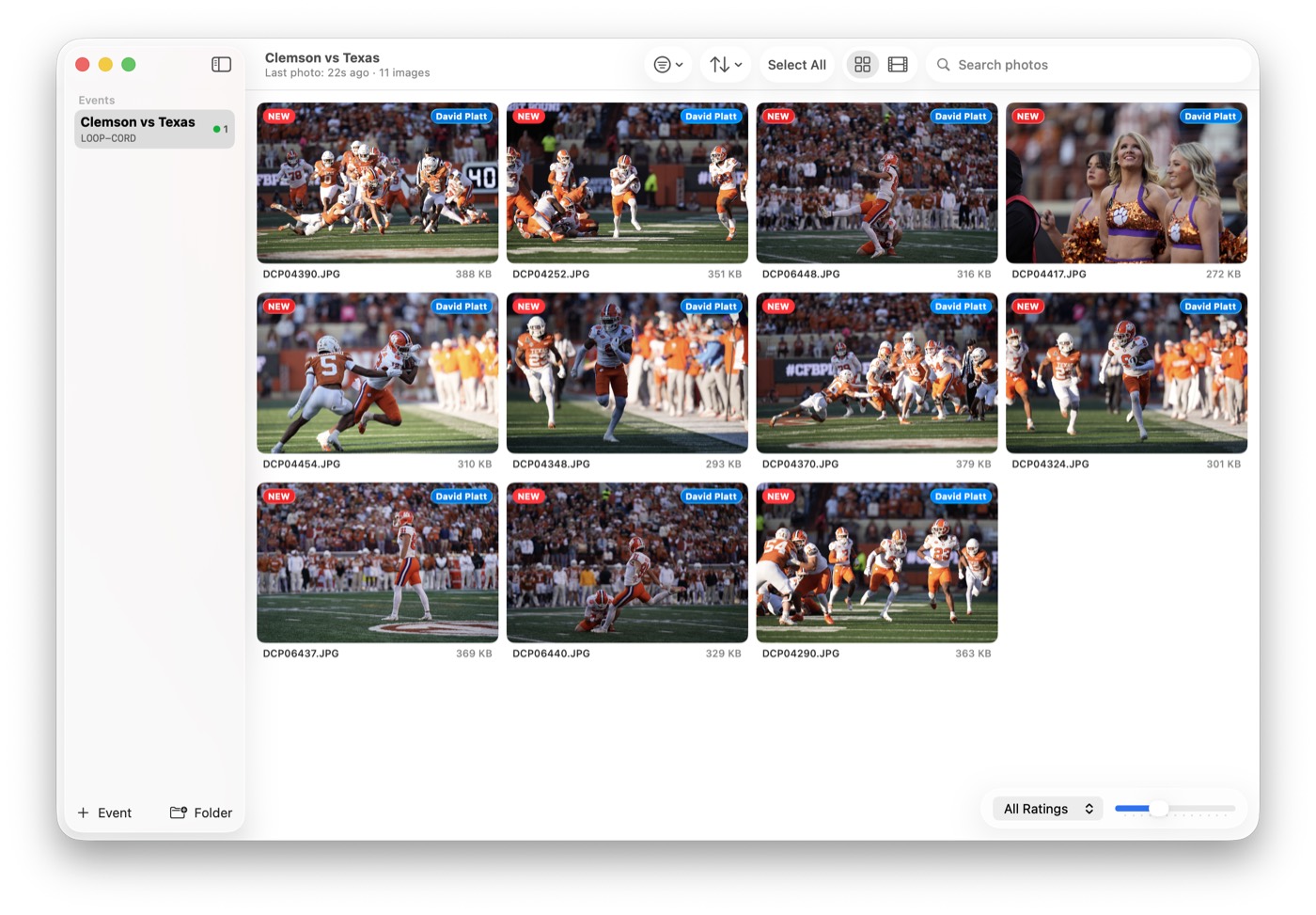
Begin with the client view. Then open Photostream Demo to see the same event from the production desk.
See the delivery experience a client receives and watch new images appear as they are uploaded.
Open live gallery ↗Download a read-only Mac build that follows the same live event. No login, export, or event setup is required.
Download Mac demo ↓Use this event code in CardRunner or CardReader, or request temporary Camera FTP credentials.
This code connects an ingest companion to the current demo event. Camera FTP uses the same code as its password after access is approved.
blue-hawkConnect a camera or memory card in the field, select what matters, and send it into this event.
Get CardRunner ↗Insert a memory card at the desk and import selected work into this event.
Get CardReader ↗Send as you shoot over camera FTP using temporary connection information.
Your uploaded preview joins the same event in the live gallery and Photostream Demo.
Incoming images, player tagging, metadata, quick edits, export, and public-gallery setup stay in one event workflow.
Please upload only material you are comfortable sharing. Test images are preview-only, visible in the shared public gallery, and deleted with the next daily join-code rotation.
We will email your FTP username and connection information after approval. The event join code becomes the FTP password, and access ends with the next daily rotation.